
It is necessary to feed the algorithms with relevant data they can learn from when developing deep learning models for computer vision tasks.
Processing, cleaning, and—most importantly—proper labeling of the data are required.
As a result, the first task is to gather and annotate training data that contains examples of the objects that need to be trained; for this, a significant tool is needed.
In this case, this significant tool is CVAT- Computer Vision Annotation Tool.
The free, open-source Computer Vision Annotation Tool (CVAT) is a web-based image and video annotation tool that is used to annotate data for computer vision algorithms. With a user interface tailored to computer vision annotation tasks, Intel originally developed CVAT with the intention of being used by a professional data annotation team.
The three main supervised machine learning tasks that CVAT supports are
- Object detection
- Image classification and
- Image segmentation.
Getting started with CVAT
- Creating Account
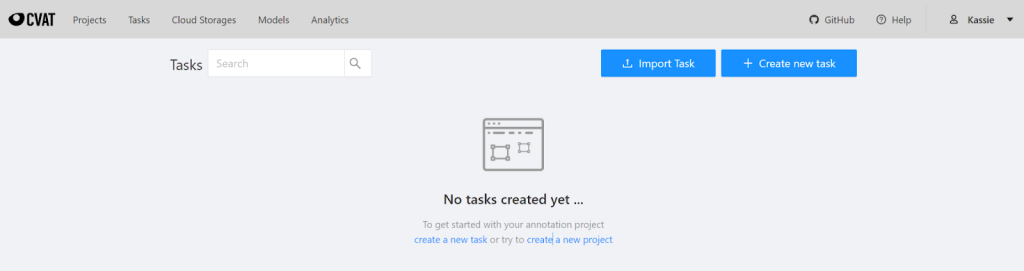
To start working on CVAT online, annotators need to create an account on cvat.org. Once they’ve done that, after logging in, this page will appear.
- Creating a Project
To start annotating, a project is needed to be created with the relevant labels or classes, along with the name of the project. In the following image, the name of the project is “Road-Users-22” and has 22 unique labels to classify the dataset.

- Creating a Task
Each Project can have multiple tasks added to it. This requires the uploading of a dataset in JPEG format.

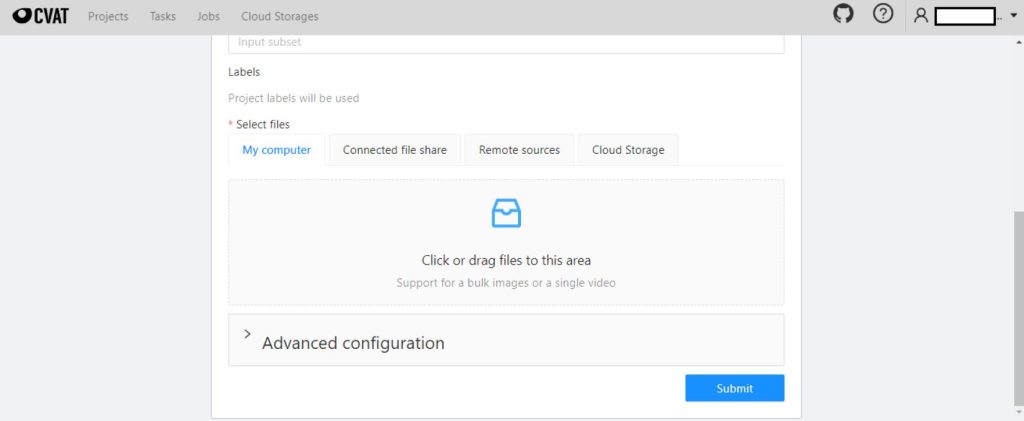
Images can be uploaded from local or remote sources. If there are too many images to annotate under one task, advanced configuration can be used to create multiple Jobs under a single task.

With this advanced configuration, the chosen images will be divided into jobs, each containing 100 images. A new task will then be created instantly after clicking the submit button.
- Start annotation:

By Clicking “Open”, annotation can be started under particular job. The frame will appear like this if no automatic or semi-automatic annotation is present.
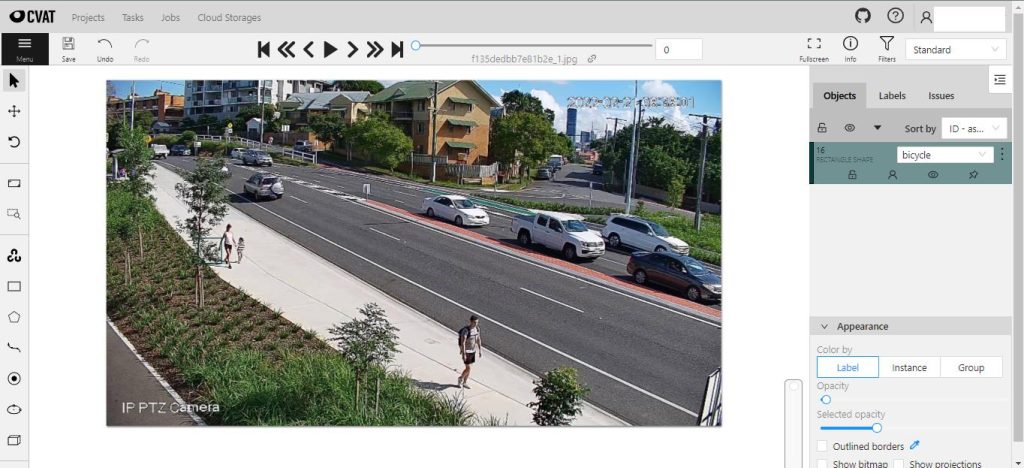
To accurately annotate, which will have a significant impact on the output of the Model to be trained, an annotator must have a clear and exact understanding of the classification. An annotator must follow these steps:
• Press “N” to drag a rectangle around the object of interest.
• From a drop-down menu that includes all of the classes for this specific project as options, classify this object appropriately.
After annotating all the objects, the frame will look like this:
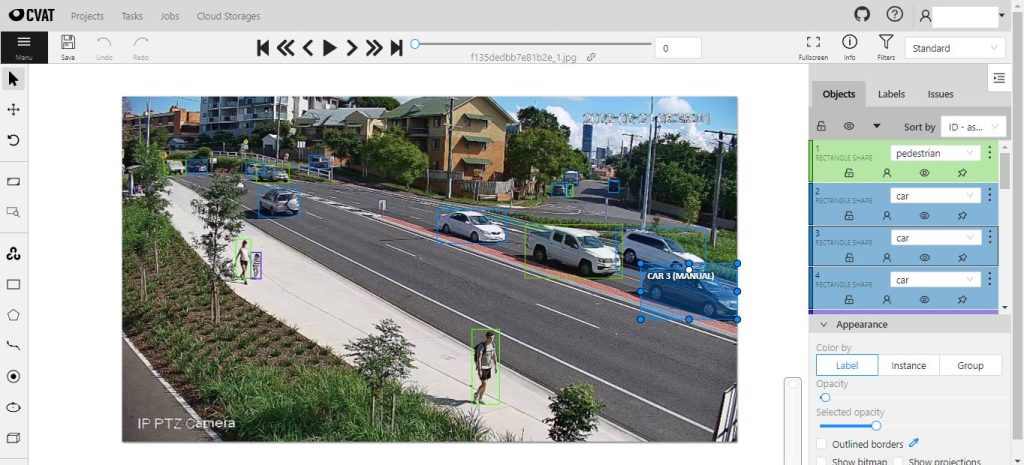
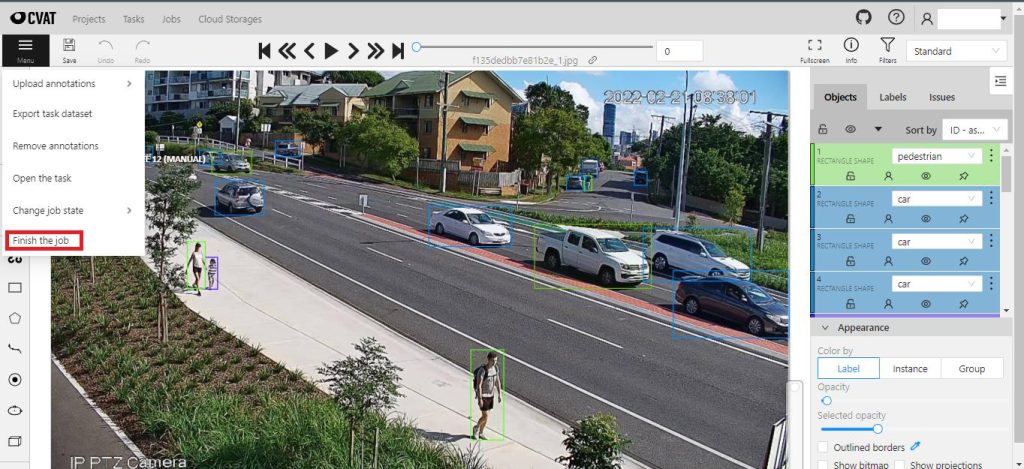
After all the frames have been annotated, the job is needed to be marked finish by selecting “Finish the job” from the Menu.
5. Checking the Errors of Semi-Automatically Annotated Images:
The model can produce some semi-automatically annotated images with one of the following errors after some data has been fed to it manually:
- Missing object
- Misclassified object
- The classification of arbitrary objects outside of the recognized classes.
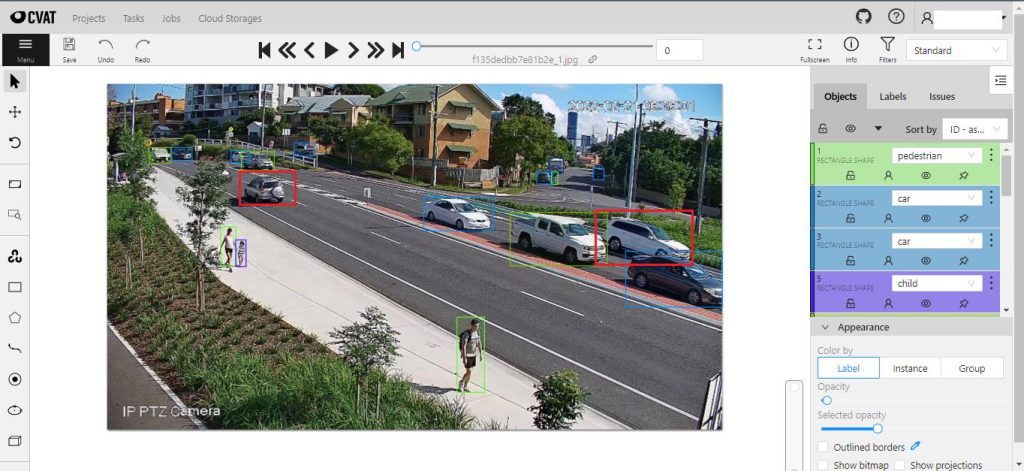
The model fails to classify the objects in this image that have red bounding boxes. An annotator must annotate these objects under corresponding classes.
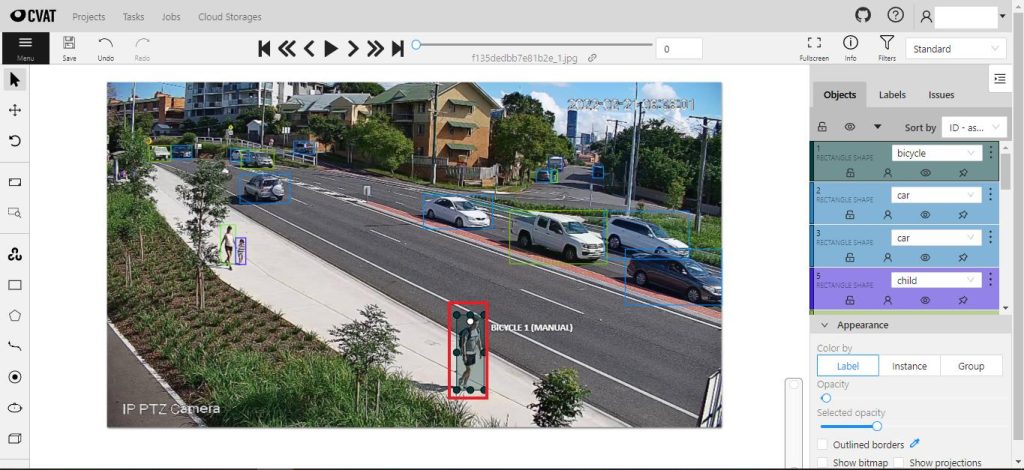
The model has inaccurately annotated the object in this image that have red bounding boxes. An annotator must reclassify these objects with classes.
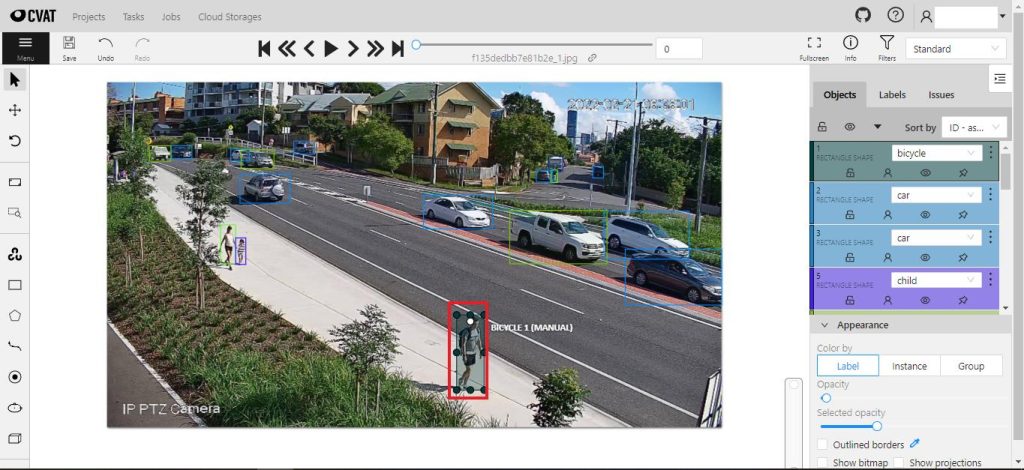
The model has classified this random object which needs to be deleted.
6. Checking the Errors of Semi-Automatically Annotated Videos:
The Model can generate annotated videos by feeding a raw video. The annotators need to check the annotated videos to find out the error that has been discussed earlier. They need to collect the snapshots of the errors and upload it to the CVAT again and annotate accurately to resolve the found issues.
These are links of some annotated videos:
7. Reviewing the annotation:
One of the most important responsibilities of an annotator is to provide proper and accurate information. Any misclassified or missed annotation can lower the accuracy of the model. To avoid this unnecessary circumstance the annotated jobs must be reviewed thoroughly.
Conclusion: Annotators can contribute valuable information that can be used in subsequent model training processes to produce results that are satisfactory by carefully following the steps outlined above.